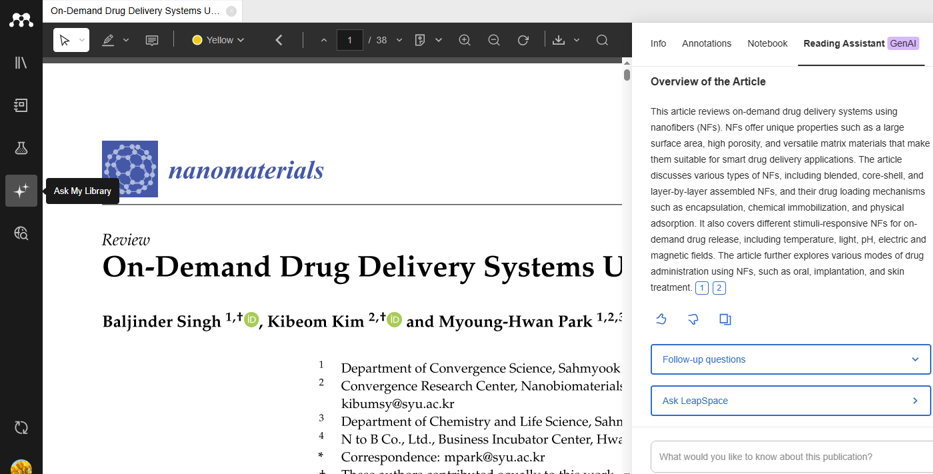
Scopus AI:
Scopus AI combines trusted, peer-reviewed content with sophisticated AI to deliver faster, deeper insights built for academic workflows.
Scopus AI uses natural language processing to generate summaries with references based on Scopus’s collection of abstracts.
View the summary and Expanded summary
When you run a query, Scopus AI consolidates abstracts from relevant documents to generate a topic summary. From the summary, you can view and export references. The Expanded summary provides advanced understanding for your query.
View the Concept map
To show a visual map of the search results and explore their relationships with other concepts.
View Topic Experts
to view leading researchers related to your query.
View Emerging themes
To identify research directions and categorize them into established, rising and novel themes based on your query.
Deep Research
Deep Research helps users explore a topic in more depth by supporting a more detailed review of relevant Scopus content. Users should review the supporting references and use Scopus AI output as a starting point for further research.
Access: https://www.scopus.com/pages/home#scopus-ai
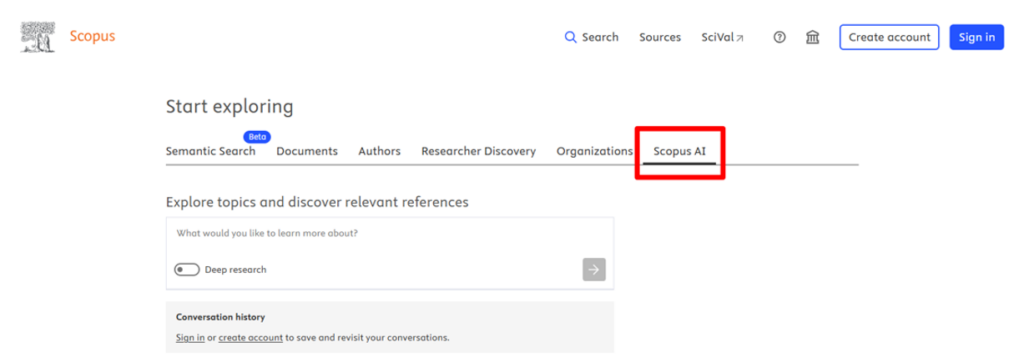
Web of Science Research Assistant
This GenAI powered tool provides natural language search, visualizations and guided tasks to enhance your research and explore literature faster based on the Web of Science Core Collections – including references to the source material.
The tool offers:
Access: https://www.webofscience.com/wos/research-assistant
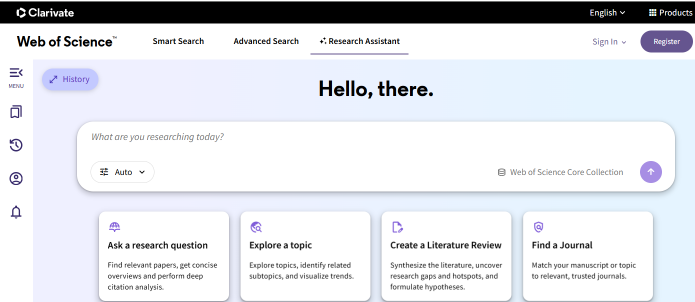
An AI-powered research tool that combines generative AI experience with a large peer-reviewed literature content from Elsevier and content licensing partners including BMJ Group, IOP Publishing, NEJM Group and Sage Publishing, plus 1,000+ other providers to support knowledge discovery and analysis. It supports research across a wide range of disciplines, including STEM, health sciences, social sciences
Built on Elsevier’s Responsible AI principles, LeapSpace is designed to evolve over time.
Key features included:
Begin your search
Ask your question or describe your request in a natural, conversational manner.
File upload
Upload and analyze your own papers, notes or reports to LeapSpace then ask questions to connect your content with wider scholarly literature. Files are private, and only available to the individual user.
Deep research
Generate deep research reports that go beyond summarizing existing information for your question to a detailed research plan.
Discover experts
Search for authors, relevant collaborators, mentors and topic contributors.
Find funding
Discover funding opportunities at many government and private funding organizations based on the sector you are working in.
Writing Coach
Is the drafting workspace built for researchers where they can enhance their writings (paragraph, manuscript, abstract,…) by starting a conversation with the coach to check your claim against latest research or provide suggestions to strengthen your argument.
Access: https://www.sciencedirect.com/leapspace/
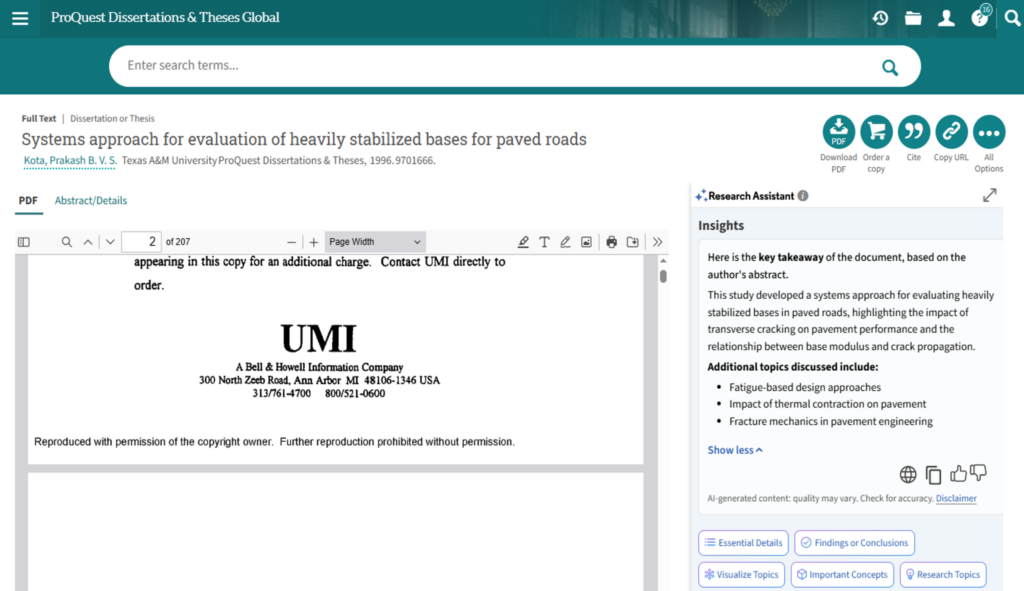
Proquest Research Assistant uses AI to enhance academic research, engage with content more deeply and explore new topics with confidence based on the extensive collection of ProQuest databases.
The AI features will not appear with documents under 150 words and on documents from certain publishers that have decided not to participate.
The AI powered features are:
Search
By suggesting additional related terms that you can add to your initial query to get more relevant results.
Key takeaways
Understanding quickly what this document is about and its relation to your search.
Findings and conclusions
Generating relevant quotes that reflect the document’s findings with a summary based on these quotes.
Essential details
Highlighting critical elements within a document.
Important concepts
A list of important concepts and their explanations extracted from the document to show why the term is relevant to the document.
Topic visualizations
Offers an interactive mind map to explore topics and subtopics within a document.
Related research topics
This feature suggests potential topics that the user might be interested in to expand their knowledge about the subject and they are extracted exclusively from the text of the document.
Chat with a Document feature
Ask questions about documents and receive answers based on that document’s content.
Access is made through www.ekb.eg then click on English sources and go to ProQuest Dissertations & Theses Global
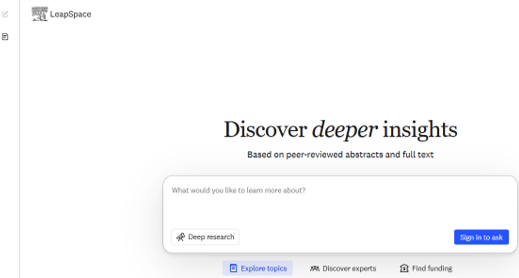
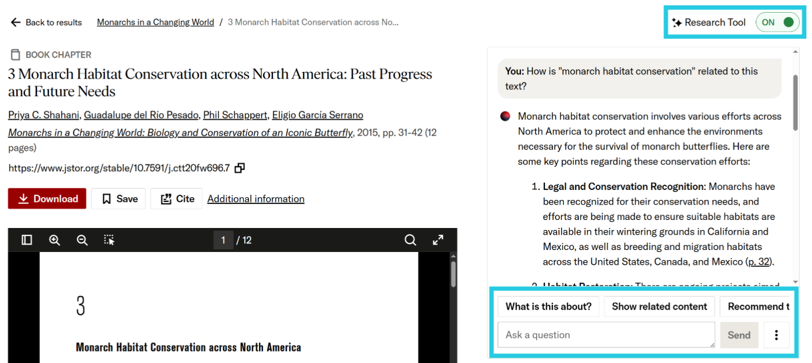
JSTOR’s interactive research tool designed to enhance—not replace—the research process and helps users engage more deeply with JSTOR’s trusted corpus. The tool works with journal articles, book chapters, and research reports on JSTOR. It does not yet support images, audio, video, and text-based primary sources.
Accessing JSTOR’s AI-enabled features requires a personal account to sign in alongside the University Login.
Use it to:
Semantic search
It helps you find relevant content and shows automatically, on the right side of the screen, how your search terms relate to the document you are viewing.
Ask questions and get answers
Using natural language to ask questions in the chat box about the document you’re viewing, and the tool will only answer questions based on the item itself.
What is this text about?
By highlighting key points from the Identify relevant material faster by surfacing key points and arguments from full-text documents text.
Show related content
Suggests items in JSTOR that contain similarities in text, or you can highlight a specific section of the document and click find related content.
Recommended topics
Suggests key concepts that are relevant to the text to explore further research.
Cite / Download conversation history
To keep a record of your interaction or generate citations for the tool and cite specific responses before leaving the item page since the tool displays your current conversation for up to 3 hours
Access: https://www.jstor.org/
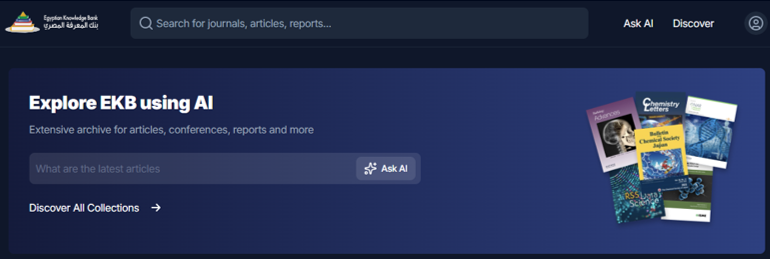
The EKB Repository features integrated AI assistant tools allowing students and researchers across Egypt to interactively explore national journals, articles, theses, and conference papers using natural language queries.
Features:
Chat with EKB – AI Assistant
Write your query on specific research papers, reports, and datasets.
Smart literature search and discovery
Search and filter millions of academic journals, articles, theses, and conference papers efficiently
Access: https://repository.ekb.eg/en
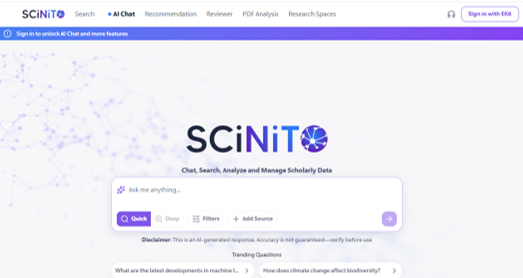
SCiNiTO is an advanced AI-driven research platform that provides a gateway to millions of academic resources like articles, books, conference papers, and dissertations—all within your reach. It lets you access the complete text of open-access sources and all Egyptian Knowledge Bank (EKB) subscriptions
Features:
AI Chat
Ask in a natural language and pick the mode that fits your query from quick, deep, and focused modes to retrieve a structured and referenced answers instantly.
Journal Recommendation
Find the most suitable journal for your manuscript using AI analysis of your title and abstract.
Reviewer
Upload your manuscript for a smart review and catch errors before reviewers do.
PDF Analysis
Upload a document and let our AI extract insights, summarize content, and identify key topics.
Research Spaces
Create a unique research space for your projects, grants and papers where you can upload your own papers and notes while collaborating with your team members and interact with your saved items using AI.
Access: https://ekb.scinito.ai/ai/chat/019ff0d06e37772a8c2869e6e6f2e328
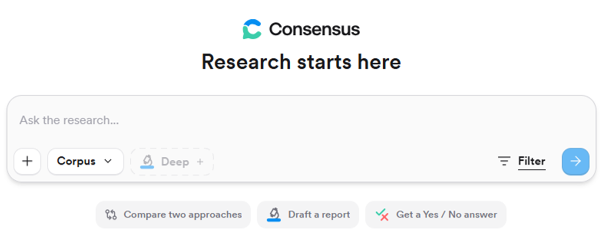
Consensus is an AI-powered search engine that searches a huge collection of academic research papers sourced from peer-reviewed journals and reputable databases to Identify the most relevant peer-reviewed literature for your query, then the AI models begin their work synthesizing a cited, evidence-based summary of the findings.
Key features:
Depending on the level of detail you prefer using natural language questions, keywords, Boolean operators, and paper titles.
Narrow your results to the highest-quality medical sources.
Get quick takeaways before diving into details.
Consensus provides the link for full text for both paywalled articles and Open Access articles within its corpus. Every article will have a direct link to get to the underlying source. These links will say one of two things, indicating if the source is a paywalled article, or is Open Access:
Citations can be copied in multiple styles or exported directly into Zotero, Mendeley and EndNote, or other managers. This saves time and supports proper academic reference.
The ability to filter results before or after your search by date, citations, methodology, and more.
Upload published papers including manuscripts, experiment proposals, dissertations, clinical protocols, private research reports, and more as well as your own documents into Consensus, then search and chat across them alongside papers from Consensus.
For yes/no questions, Consensus displays a visual meter showing the level of agreement or disagreement in the literature in response to.
asking follow-up questions, within the same search, creating a continuous conversation with the research.
A feature that shows how research papers are connected through their citations, helping you quickly see which studies are most influential and how ideas build on each other.
Access: https://consensus.app/
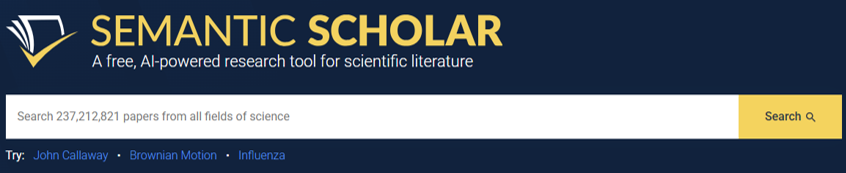
Semantic Scholar provides free academic AI-driven search and discovery tools to find relevant papers, explore new knowledge and understand papers.
Features provided:
Semantic Scholar provides a scientific literature graph that allows scholars to navigate and discover highly influential works across all fields of study and easily search a paper’s citations.
Navigate through millions of scientific papers in all fields of study by searching our corpus.
Store and organize all the papers that interest you in your Semantic library and access them anywhere, anytime when you sign in to Semantic Scholar.
Turn on Research Feeds recommendations for any folder in your library and have them sent right to your email to help you stay up-to-date.
Semantic Reader is an augmented reader to understand a document’s structure and merge it with the Semantic Scholar’s academic corpus once you’re logged-in.
Access: https://www.semanticscholar.org/
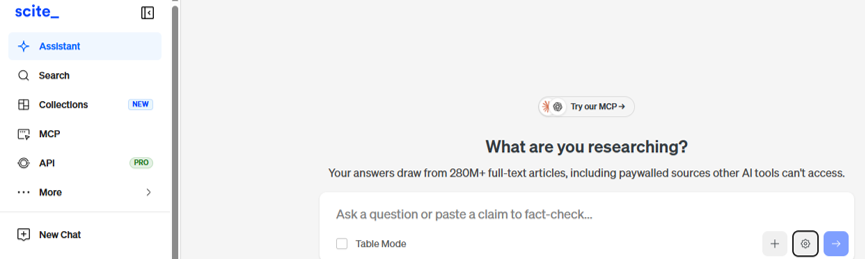
Scite is an AI-powered platform that helps researchers discover and evaluate scientific literature through Smart Citation, showing whether studies support or contradict a claim. Scite has indexed 1.6B+ citations, partners with 30+ publishers, and serves 2M users worldwide.
Features provided:
Our deep learning model analyzes 1.6 billion citation statements and classifies each one as supporting, contrasting, or mentioning — so you can see not just how many times a paper has been cited, but how it’s been cited.
Ask research questions and get answers backed by real, cited sources. Explore topics, draft literature reviews, or check claims against the published record
Scite Assistant is an AI research tool supported by 300M+ full-text articles, including paywalled content from 30+ publisher partners. Unlike general-purpose AI tools, every answer is drawn from peer-reviewed literature and linked to its source. Use it for literature reviews, fact-checking, research discovery, and staying current — with evidence you can actually verify.
Connect Scite through MCP to the AI tools you already use like: Claude, ChatGPT, Cursor, and other AI tools. Get cited, evidence-backed answers without leaving your workflow.
Create collections of articles from Zotero, Mendeley, a CSV of DOIs, or directly from search results — then monitor how citations collected over time. Collections alert you to new supporting or contrasting citations, flag retractions, and give you a living view of how a research area is developing. Use them to track your own publications, monitor a competitor’s output, or stay on top of a field.
See citation data anywhere you read research online. Click the badge on any paper to dig into its Smart Citations.
If you use Zotero, our plugin shows how papers in your library have been cited—supported, contradicted, or mentioned—without leaving Zotero.
Upload a manuscript PDF and instantly see how every reference has been cited by. A fast, reliable way for authors, editors, and peer reviewers to evaluate citation quality before publishing.
Access: https://scite.ai/
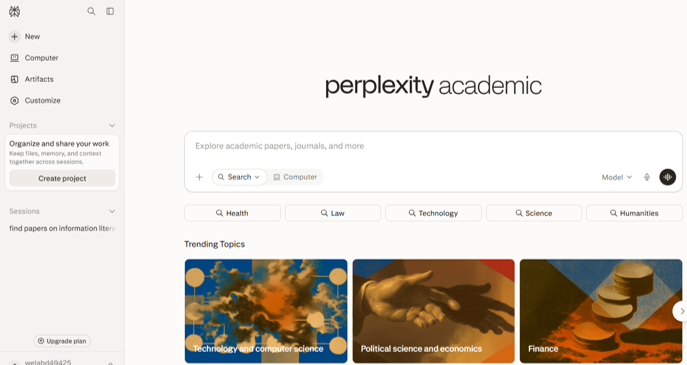
Perplexity AI is an AI-driven search engine platform searches the web to deliver accurate, real-time information with source citations and fewer hallucinations. It goes far beyond standard keyword-based searches, functioning more like a knowledgeable search assistant than a traditional search engine.
Features available:
Search the web or your files and every answer is sourced, cited, and as deep as the question demands. Every answer includes citations linking to the original sources. This transparency allows you to easily explore the information further.
You can narrow your search to specific content types (e.g., Academic, Finance, your own files), ensuring answers are drawn from the most relevant sources for your needs.
Dedicated workspaces that allow individual users and teams to organize, collaborate, and manage research and tasks more effectively
You can upload both files and folders. This enables Perplexity to access the file’s contents and maintain contextual awareness for follow-up questions within that session. You can upload textual files, including plain text, code, or PDFs, as well as images, audio, and video files.
It is a general-purpose digital worker that operates the same interfaces you do. Give Computer your tasks as a prompt in a natural language then Computer will browse, research, create, and connect your tools automatically and in the background. It executes entire workflows and capable of running for hours or even months. Available to Pro and Max subscribers.
Perplexity’s Deep Research builds a research plan where it searches for complex questions across hundreds of sources, checks the findings, and delivers fully work-ready reports.
Browse smarter, faster using the Prompt library to ask anything.
Perplexity AI’s model selector feature allows users to choose between 20+ leading models according to the type of your query. This feature is available to Perplexity Pro subscribers.
Connect services so Perplexity can access and act on your data. Use Perplexity alongside your email, documents, and browser to draft messages, summarize content, and explore ideas without constantly switching tools.
Access: https://www.perplexity.ai/
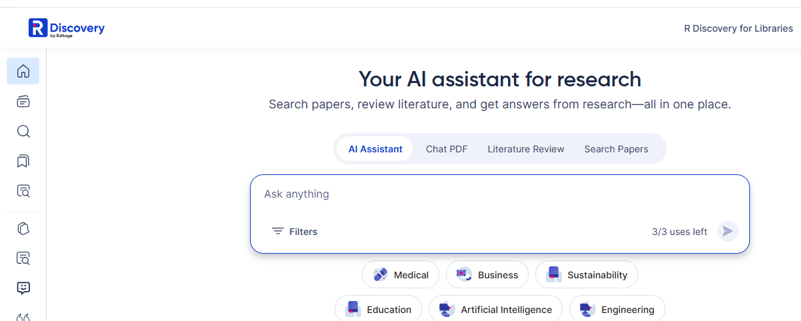
R Discovery recommends the top scholarly articles in your field of research from trusted sources like PubMed, PubMed Central, CrossRef, and top academic research publications, including Wiley, Springer Nature, IOP, SAGE, Taylor & Francis, and more.
Elevate your academic research reading experience with access to 300M+ research papers, including 78M+ open access articles, across 64,000 journals as well as 2M+ preprints and 7.5M+ patents.
R Discovery’s unique features are designed to help you save time and improve your AI literature search and academic research reading!
Features:
AI Assistant – Ask R Discovery
Researchers can ask natural-language questions and get grounded answers with citations from academic sources.
Search papers
Searches 300M+ papers, journals, books, theses, and open-access sources in a single query.
Ask questions inside any paper. Researchers can upload any PDF or open a paper and ask specific questions ask questions and get AI-driven answers.
Generate a structured, citable literature review from dozens of papers in minutes. More than just summaries.
Access: https://discovery.researcher.life/
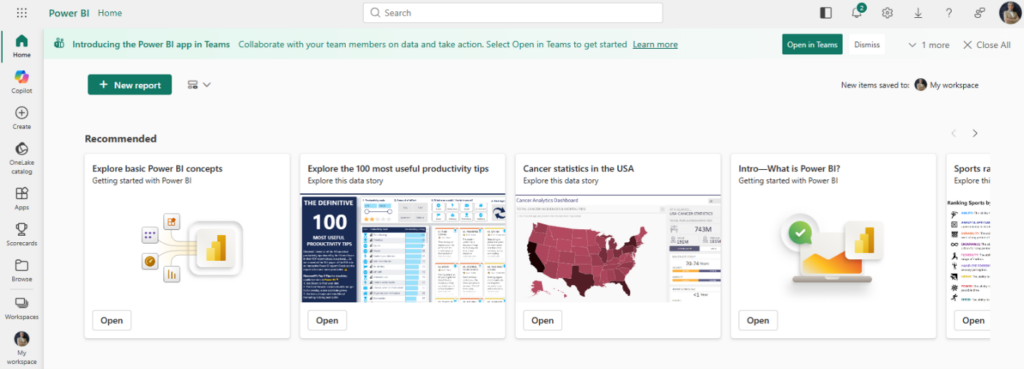
Microsoft Power BI is a Microsoft’s business intelligence platform that enables users to visualize data, create interactive dashboards, and derive actionable insights. Designed for business users, report creators, or developers, Power BI offers integrated tools and services to connect, visualize, and share data across your organization. It is integrated seamlessly with Microsoft 365.
Features provided:
Connects to 100+ data sources — Excel, SQL Server, Azure, Salesforce, Google Analytics, SharePoint, and more. whilst sharing insights across platforms.
Uses Data Analysis Expressions (DAX) and Power Pivot to build complex relationships between multiple tables, calculate custom metrics, and analyze data quickly in memory
Offers drag-and-drop canvases with charts, graphs, maps, and custom visuals from the Power BI
Implements Row-Level Security (RLS) to restrict data access based on user roles and permissions.
Sharing and Collaboration: Enables publishing and sharing of reports through the cloud-based Power BI Service, embedding them in Microsoft Teams, or exporting them to PowerPoint, PDF, and Excel
Access: https://app.powerbi.com/
Mendeley’s AI features support researchers in extracting insights from their personally curated Mendeley libraries efficiently.
Here are some practical examples of how these features can be used across common research activities:
Mendeley helps you to ask questions then it will search, read and respond using the PDFs in your library. Every response comes with citations, so you can easily trace ideas back to their exact source
Ask detailed questions about any PDF in your library and receive in-depth responses supported with in-text citations. And with automatically generated follow-up questions, you can keep the conversation going.
Select up to 10 references with available files that include experiments or studies to compare their methods, results, and other details in a side-by-side table format and synthesize insights across and within your documents.